


Contractor CRM & Lead Management
Manage leads, jobs, invoices and follow-ups from one powerful platform, so no customer slips through the cracks.
Every Lead in One Place
Leads come from your website, Google, social media, referrals and phone calls. Without one system, it’s easy to forget a follow-up or lose an estimate.
CSLP’s contractor software brings your leads, conversations, estimates and invoices into one platform you can use from your phone or computer.
Get Started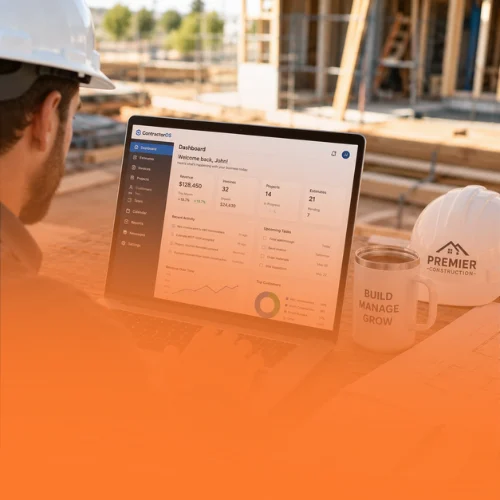
What’s Included
Lead Capture
Leads from your website forms and ads land in one inbox.
Text & Email Follow-Up
Reply to customers quickly by text and email from one app.
Appointments
Book estimates and site visits without the back-and-forth.
Estimates & Invoices
Send professional estimates and invoices and track what’s paid.
Pipeline Tracking
See every job from new lead to completed project.
Review Requests
Ask happy customers for reviews when a job is done.
How We Work
- Walkthrough. We learn how your business handles leads and jobs today
- Setup. We set up your account, pipeline and forms
- Training. We show you and your team how to use it day to day
- Support. Our team is available when you have questions
Get Started With Contractor CRM & Lead Management
Tell us about your business and the type of jobs you want more of. Our team will contact you to talk about the right next step.
Contractor CRM & Lead Management FAQs
What is a contractor CRM?
A CRM (customer relationship management) system keeps your leads, customer conversations, estimates and jobs in one place so you can follow up faster and win more work.
Can I use the CRM on my phone?
Yes. You can manage leads and messages from your phone or computer.
Does the CRM connect to my website?
Yes. Website and ad forms can send leads directly into your CRM. See our website design service.
How do I get access?
Fill out the form and our team will contact you to set up a walkthrough.
More Ways We Help Contractors Grow
Website Design for Contractors
Mobile-friendly websites that show your license, your work and an easy way for customers to request a quote.
Website designGoogle Ads for Contractors
Search ads that put your business in front of homeowners who are already looking for your trade in your service area.
Google AdsSocial Media Ads
$299/month
We run social media ads that put your projects and reviews in front of customers in your area.
Social media ads